


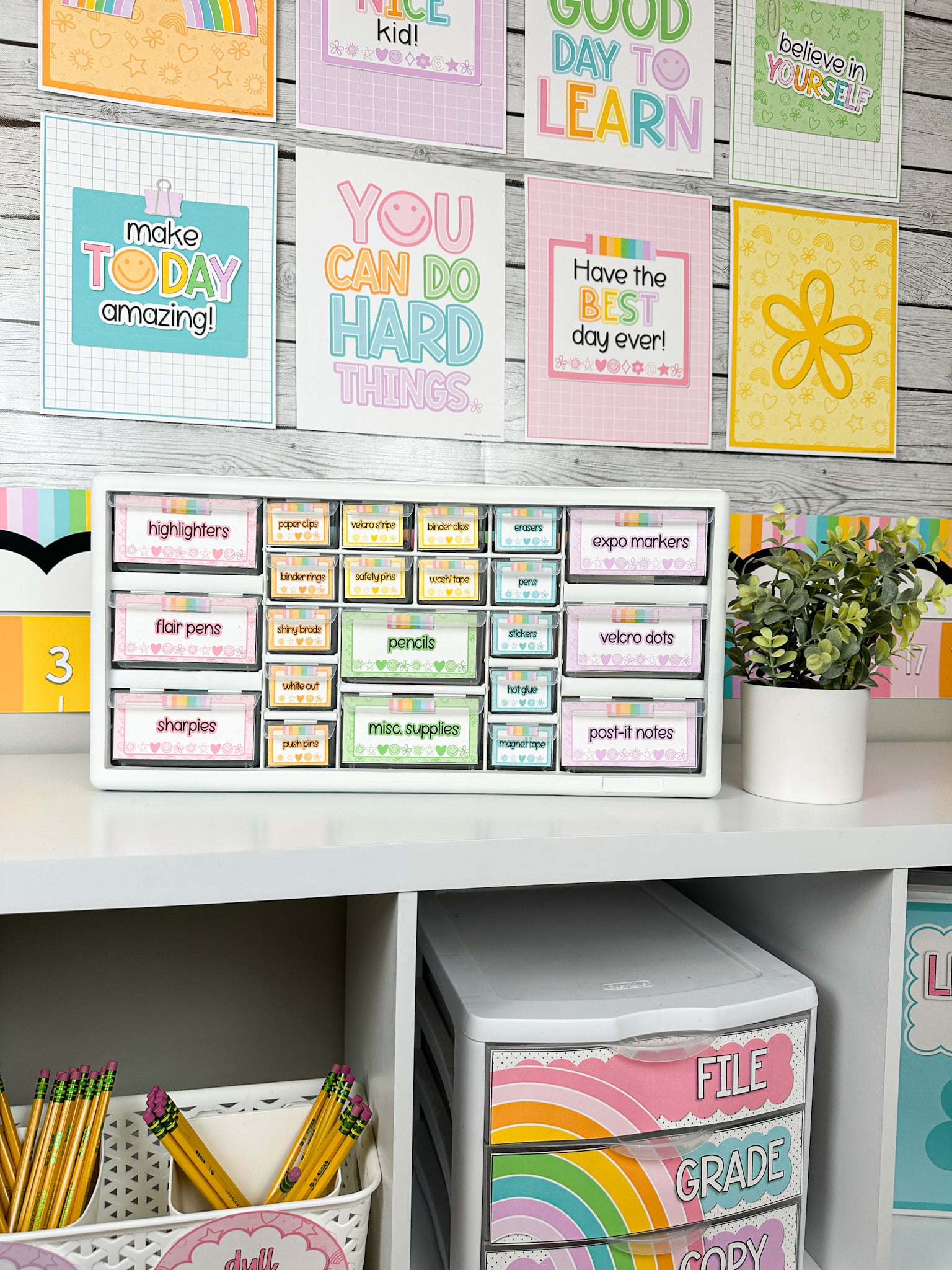
A cluttered teacher desk can quickly become overwhelming. Between lesson planning, grading, meetings, and interacting with students, the last thing you want is a chaotic workspace that makes it harder to stay on top of your to-do list! Here are five practical ways to organize your desk area and boost your productivity…
1. Organizing Drawer Carts
Drawer carts are a game-changer for teachers looking to declutter their desks. These carts can easily be moved around and provide a convenient way to store a variety of items. Whether you use it for office supplies, student papers, or personal items, a drawer cart helps separate your items into categories. Paired with some cute and personalized labels, it is sure to bring you some happy organization to your classroom!

Pictured: Rolling Cart Labels from the Bright Doodles Classroom Decor Collection
2. Teacher Toolbox for Supplies
Every teacher knows that having the right tools within arm’s reach is essential to maintaining a smooth workflow. A teacher toolbox is perfect for storing essential supplies like pens, markers, scissors, tape, and paper clips. These toolboxes come in a variety of sizes and styles, including portable ones that can be moved around the classroom, or stationary versions that stay on your desk. Take it a step further and decorate/personalize your toolbox with some cute labels to give it the “perfect touch”!
Pictured: Teacher Toolbox Labels from the Bright Doodles Classroom Decor Collection
3. Paper File Bins
Paper can quickly pile up, especially when you’re managing lesson plans, student assignments, ALL.THE.FORMS, and more. Paper file bins are a fantastic way to keep extra papers organized. I always loved having separate drawers for papers that I needed to copy, file, and grade! These small bins are the perfect way to organize these papers without taking up too much space on your desk!

Pictured: File Bin Labels from the Bright Doodles Classroom Decor Collection
4. Student File Boxes
Every teacher has a lot of student-related materials to keep track of—whether it’s assignments, progress reports, or behavioral notes. Student file boxes provide an easy way to store and organize each student’s work. By having individual file boxes, you can keep track of their progress throughout the year without getting buried under a pile of loose papers. PRO TIP: Teach your students how to file their own work and see your to-do list decrease by the minute!

Pictured: Freebie Student File Labels from the Cutesy Back to School Collection
5. Binder System for Organization
Binders are a teacher’s best friend when it comes to organizing lesson plans, student records, and classroom resources. Binders allow you to store materials in a neat, accessible manner, and they can be customized to fit your needs. You can create separate binders for different subjects, grade levels, or classroom themes, making it easy to find exactly what you need.

Pictured: Binder Covers from the Bright Doodles Classroom Decor Collection
Final Thoughts
An organized teacher desk doesn’t just make your space look neat—it makes your workflow more efficient and your teaching day less stressful. By incorporating these five organizational tools, you can create a functional and clutter-free environment that allows you to focus on what matters most: teaching and loving those students of yours!
What organizational tools have helped you the most in your classroom? Share your favorite tips in the comments!

Ashley
This is where you can give some more information about yourself.